BPN-TRACK
गाड़ी की हर reading (parameters)
Device जो भी readings भेजता है, उनकी पूरी list गाड़ी के panel पर ही देखें।
कैसे करें
- सेटिंग खोलें, फिर Language and look।
- Vehicle details में "Show the parameters when a vehicle is opened" चालू करें।
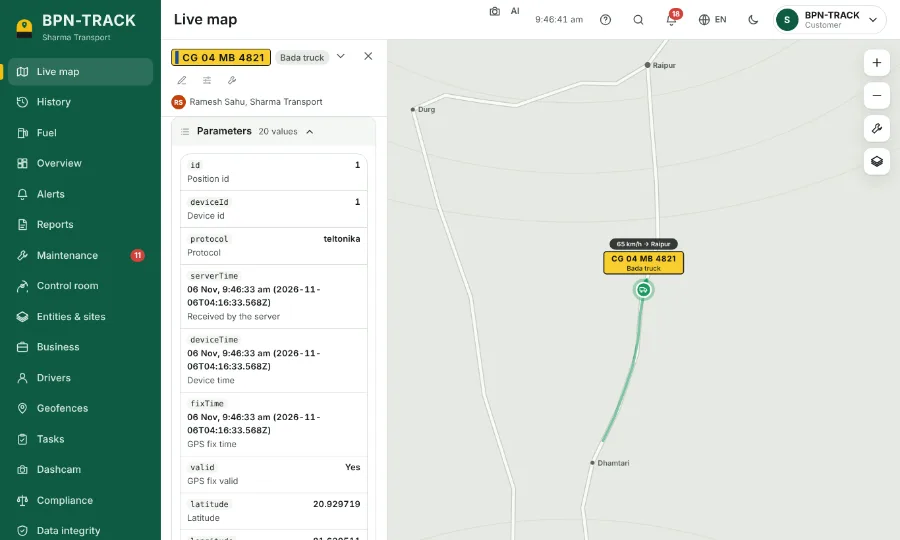
- लाइव नक्शे पर कोई गाड़ी खोलें: panel के आख़िर में अब Parameters की table है, हर reading अपने नाम और unit के साथ।
- हर नई position के साथ table ताज़ा होती है। ज़रूरत न हो तो उसके header से उसे समेट दें।
- Device के सारे messages देखने के लिए table से Troubleshoot खोलें।