BPN-TRACK
Every reading of a vehicle (parameters)
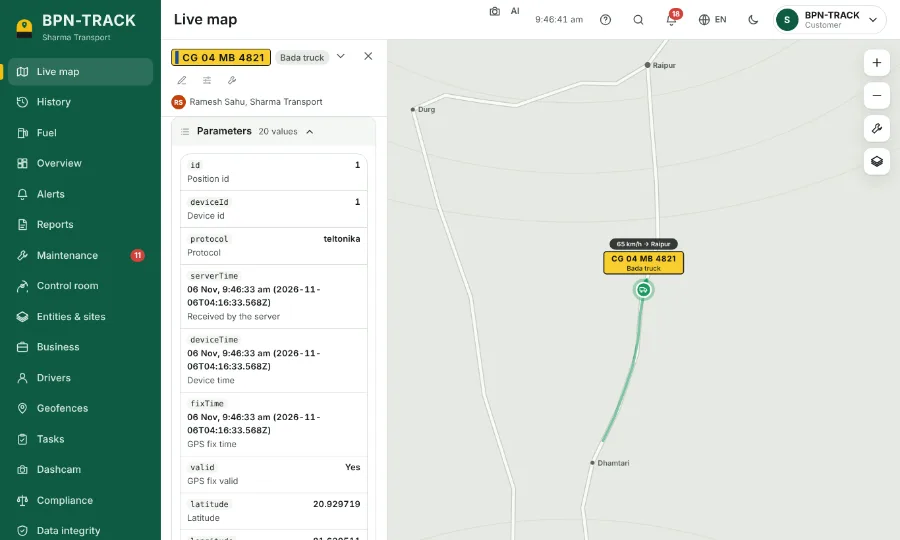
Show the full list of readings the device sends, right on the vehicle panel.
How to
- Open Settings, then Language and look.
- Under Vehicle details, switch on "Show the parameters when a vehicle is opened".
- Open any vehicle on the Live map: the panel now ends with a Parameters table, each reading with its name and unit.
- The table updates with every new position. Fold it with its header when you do not need it.
- Open Troubleshoot from the table for the device's full history of messages.