BPN-TRACK
Choose the alerts for each vehicle
Switch on only the alerts you need, vehicle by vehicle. Everything else stays on History.
How to
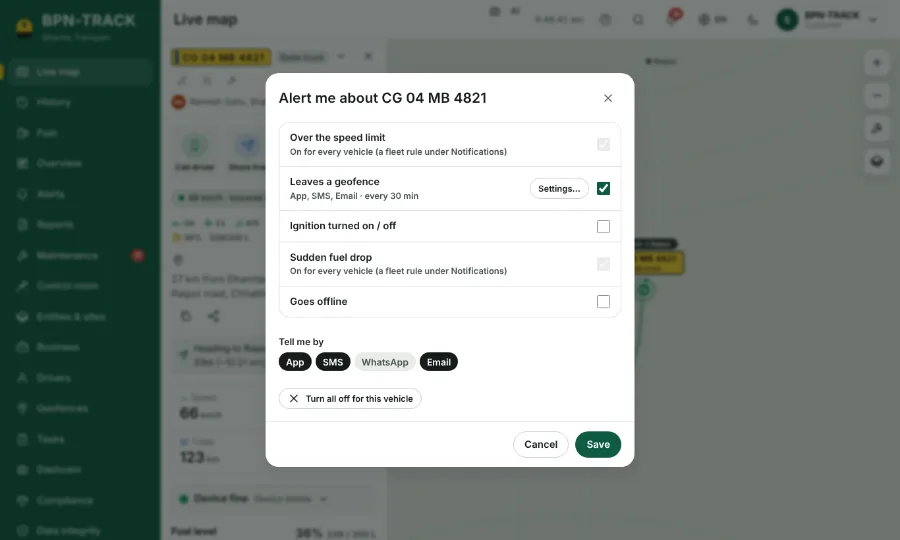
- Open the vehicle on the Live map and tap Alert me.
- Tick the alerts you want for this vehicle, such as over the speed limit, ignition on / off, leaving a geofence, a sudden fuel drop or going offline.
- For the device's own alarms (SOS, power cut, low battery, offline) open Configure, then Alerts, and use the switches.
- Only what is switched on reaches the Alerts page, the bell and the app notifications.
- Whatever is off still shows on History under Show on map.