BPN-TRACK
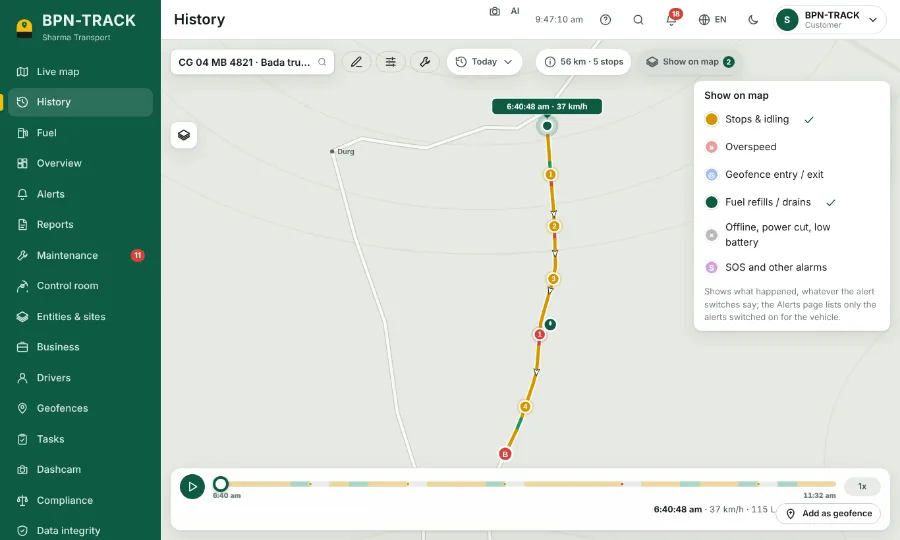
Show on map: what happened along the route
Draw stops, overspeed, geofence visits, fuel fills and alarms on the replay, whatever your alert switches say.
How to
- Open History for a vehicle and a day.
- Tap Show on map at the top. The number on it says how many layers are on.
- Tick what you want to see: Stops & idling, overspeed, Geofence entry / exit, Fuel refills / drains, offline and power cuts, SOS and other alarms.
- Each one appears as a dot on the route. Tap a dot for the details and "Go to this moment".
- This is the place to look back at things you keep switched off as alerts: the Alerts page stays quiet, History still shows them.