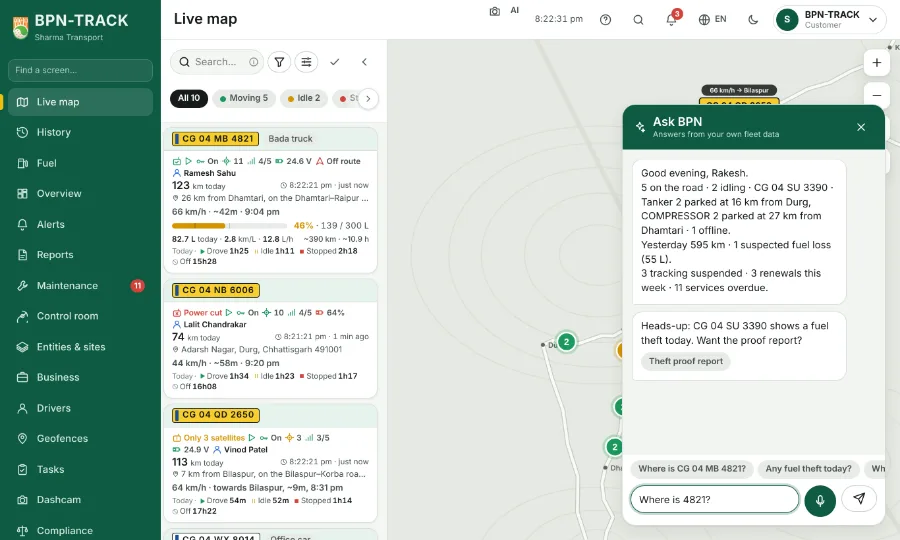
 BPN-TRACK
Ask BPN: ask in your own words, typed or spoken
Ask about your fleet the way you would ask a person; speak instead of typing if you like.
How to
- Tap the Ask BPN button at the corner and ask in Hindi, English or Hinglish, for example "Where is 4821?" or "Any fuel theft today?". The chips above the box are ready questions.
- To speak, tap the mic: your words appear in the box as you talk, like a voice message on WhatsApp. Tap the mic again to stop, correct anything, then tap Send.
- Or hold the mic: it listens only while you hold it. Slide up onto the lock to keep it listening for a long message; tap the mic to stop.
- The first time, the browser or the phone asks to use the microphone: tap Allow. If it was blocked, the app tells you where to allow it (in Chrome: the site's settings, Microphone).