BPN-TRACK
Drivers 360°: each driver's month
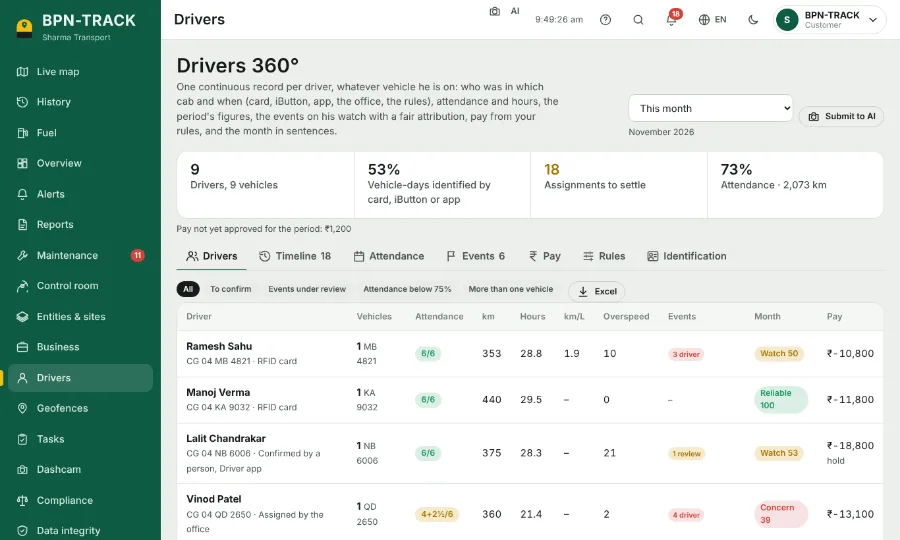
One record per driver: which vehicle and when, attendance, hours, kilometres, overspeed and pay.
How to
- Open Drivers. Choose the period at the top right (This month at first).
- The table lists each driver with vehicles, attendance, km, hours, overspeed, events and the month's grade.
- Tap a driver for his timeline, the events with who was driving, and the month in plain sentences.
- The tabs Timeline, Attendance, Events, Pay and Rules show the same people from other sides.
- Excel downloads the table.