 BPN-TRACK
A rule's vehicles and channels
One rule can cover many vehicles and send by app, SMS, WhatsApp or email.
How to
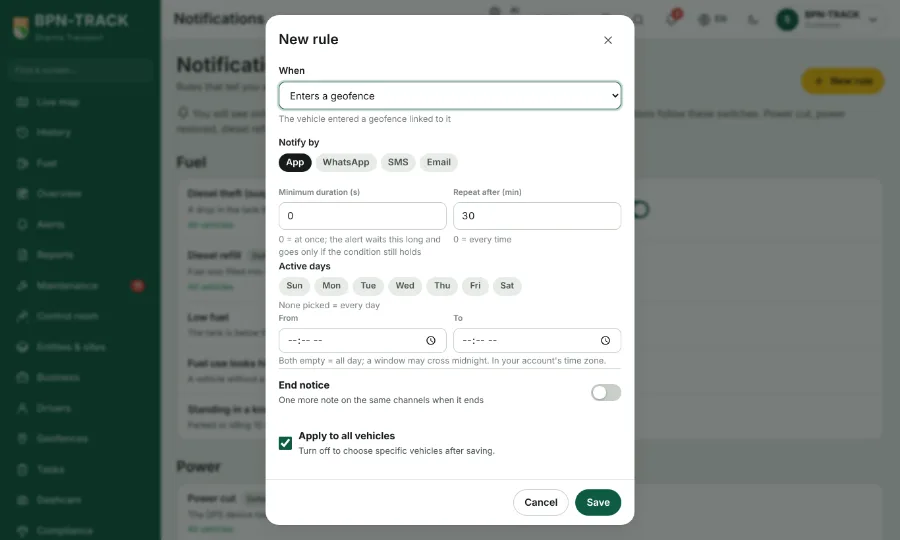
- On Alert rules, tap New rule. Every kind of alert is in the list, each with its description.
- Pick the kind, then the vehicles it applies to, or all of them.
- Pick the channels: app notification, SMS, WhatsApp, email. Only the channels that kind can send are offered.
- Save. The rule appears under Rule settings and its switch turns on.
- Edit on a rule changes it; Remove deletes it.