BPN-TRACK
Draw a geofence
Mark a yard, a customer's site or a city limit on the map, in your own colour.
How to
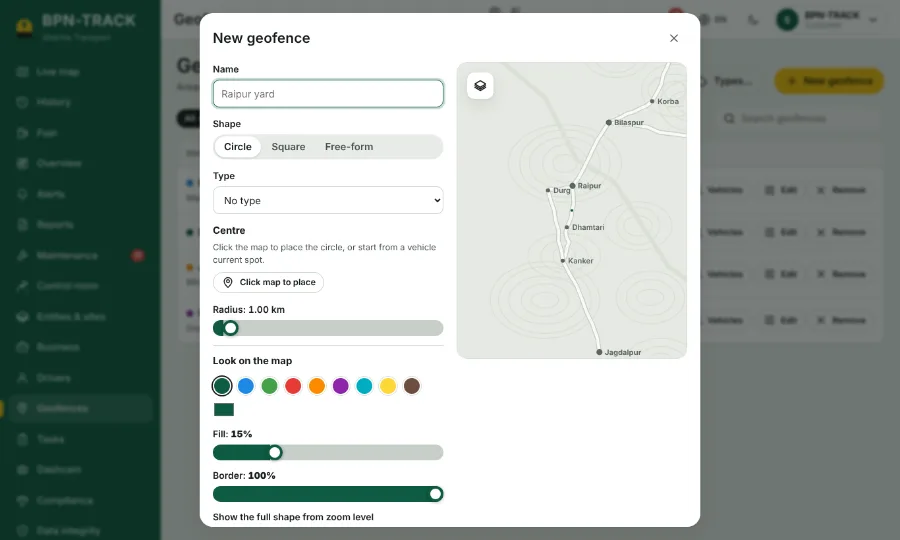
- Open Geofences and tap New geofence (or use Tools, then Add geofence here, on the Live map).
- Give it a name, such as Raipur yard.
- Choose the shape: a circle (centre and radius), a square, or a free shape where you tap the corners.
- Pick a colour and how see-through the fill is; the map shows it as you change it.
- Choose which vehicles it applies to and save.
- On the Live map, open the map type button and tick Show geofences to see your areas with their names.