BPN-TRACK
Entry and exit alerts for each geofence
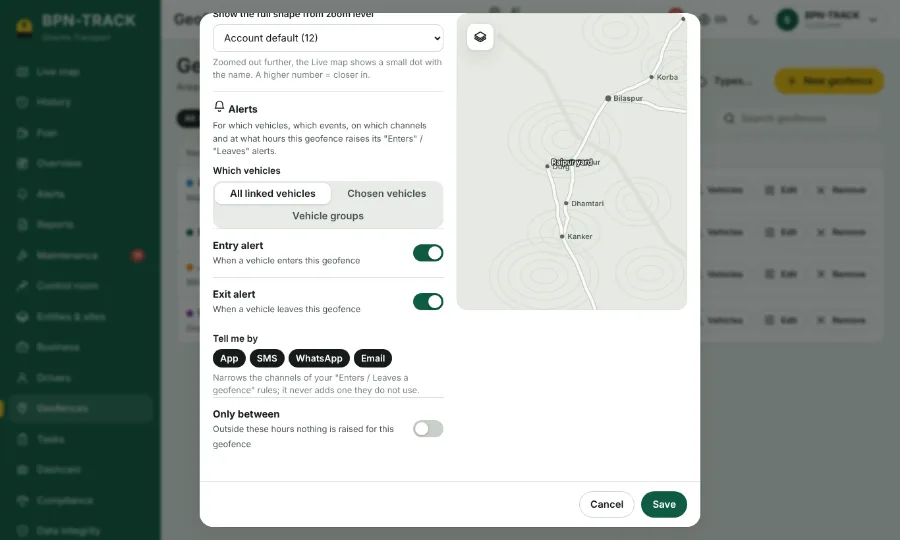
Decide per geofence which vehicles raise alerts, for entry, exit or both, and at what hours.
How to
- Open Geofences and edit a geofence (or tap Alerts on its row).
- In the Alerts section choose the vehicles: all linked, chosen ones, or vehicle groups.
- Switch entry and exit on or off.
- Pick the channels and, if you like, a time window, for example 8 pm to 6 am for a yard at night.
- Save. Alerts outside these choices are not sent; History still shows every visit.