BPN-TRACK
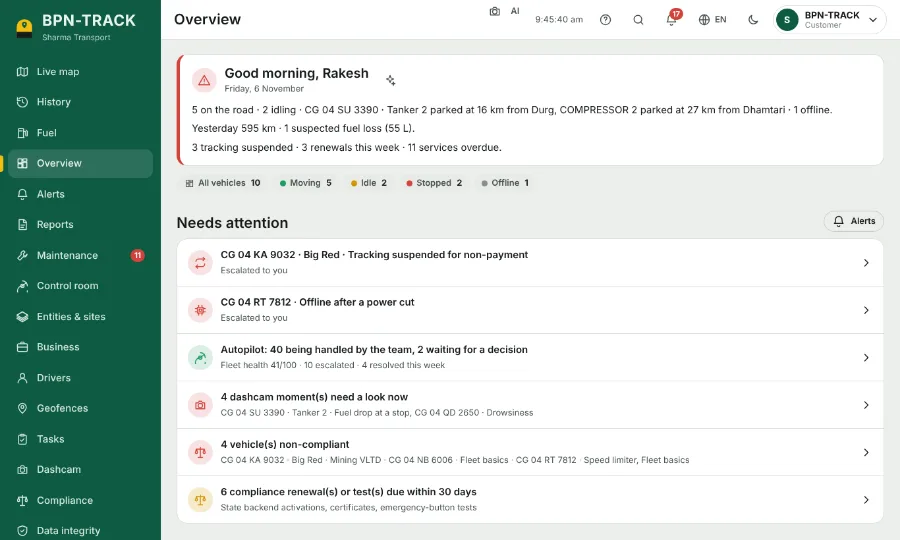
The Overview page
Your whole fleet at a glance: how many vehicles are moving, parked or offline, and what needs you today.
How to
- Open Overview from the menu.
- The coloured counts at the top show moving, idle, stopped and offline vehicles. Tap one to open the Live map with only those vehicles.
- "Needs attention" lists what to look at today: renewals due, maintenance, fuel and device problems.
- The Geofences tile shows how many vehicles are inside each of your areas right now. Tap a row to see those vehicles on the map.
- Tap any vehicle number on the page to open it on the Live map.