BPN-TRACK
Long reports run in the background
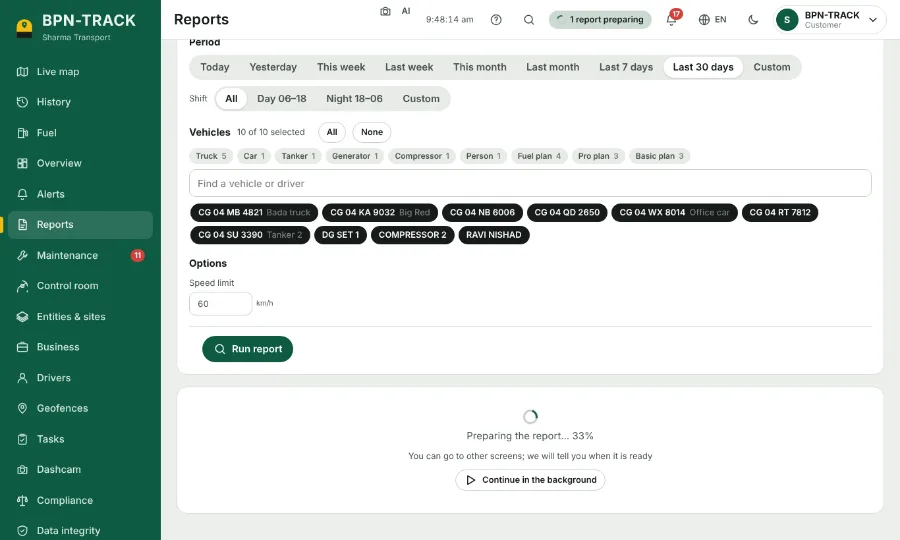
A big report keeps preparing while you use the rest of the app, and tells you when it is ready.
How to
- Run a report over many vehicles or many days. A progress panel shows the percentage and the time left.
- Press Continue in the background and carry on with your work.
- A small chip next to the bell says the report is preparing. Tap it to see the progress or to Cancel.
- When it is ready a message "Report ready" appears with Open. With app notifications on, your phone rings even if the app is closed.
- Open shows the report with the same vehicles and dates you chose.