BPN-TRACK
Run a report
Trips, stops, fuel, geofences, alerts, maintenance and more, for any period and any vehicles.
How to
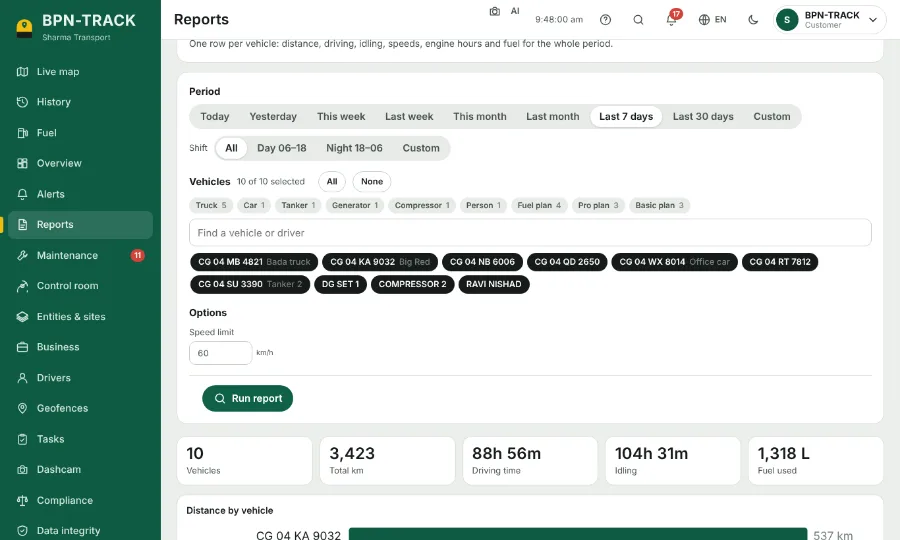
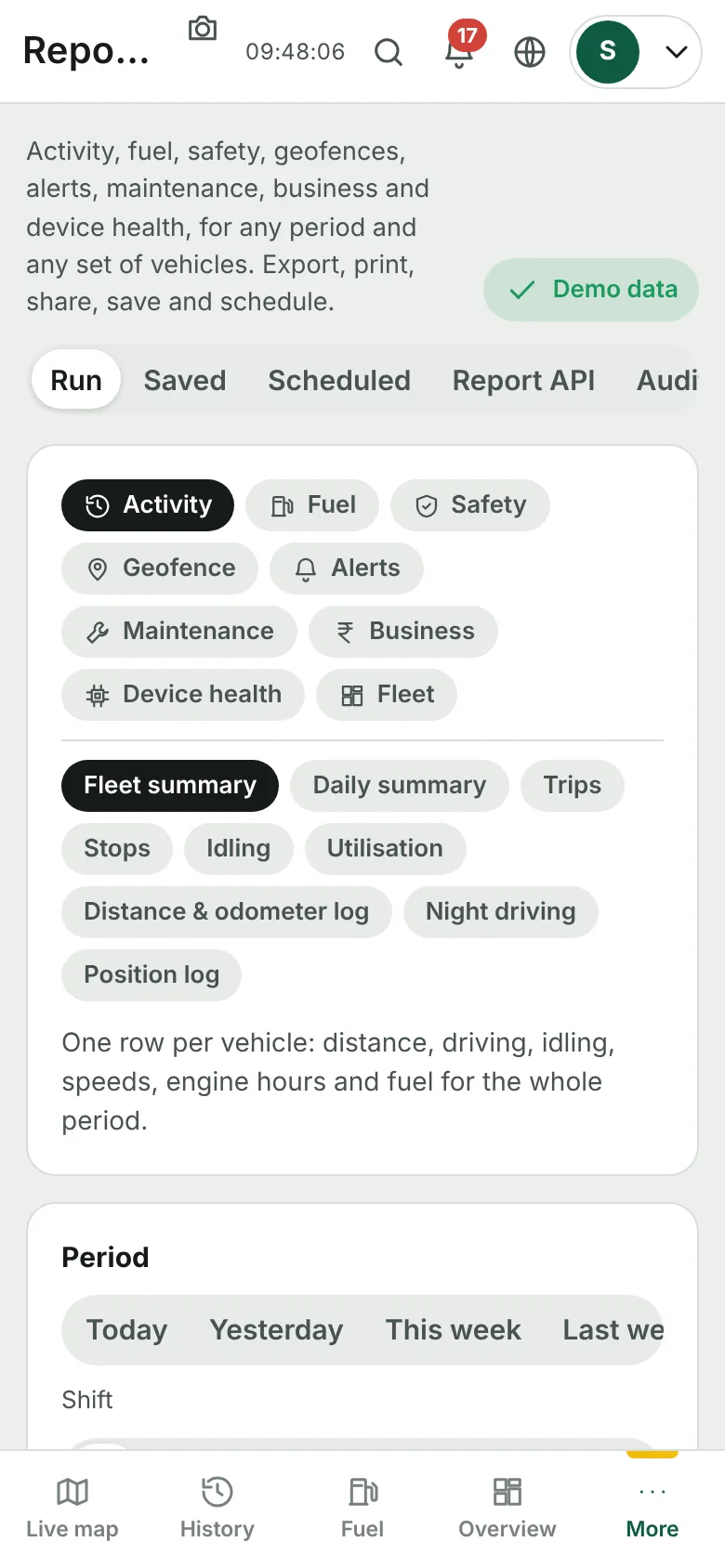
- Open Reports. The Run tab is open.
- Pick a family (Activity, Fuel, Geofence, Alerts …) and then the report, for example Fleet summary or Trips.
- Choose the period (Today, Last 7 days, This month, Custom …) and, if you like, a shift.
- Choose the vehicles: All, None, a group chip such as Truck or Fuel plan, or tap vehicles one by one.
- Press Run. The table opens with totals; download it as Excel, or use PDF / Print.
- Save a report you run often under Saved, so the next time it is one tap.