 BPN-TRACK
Field work: the land a tractor worked
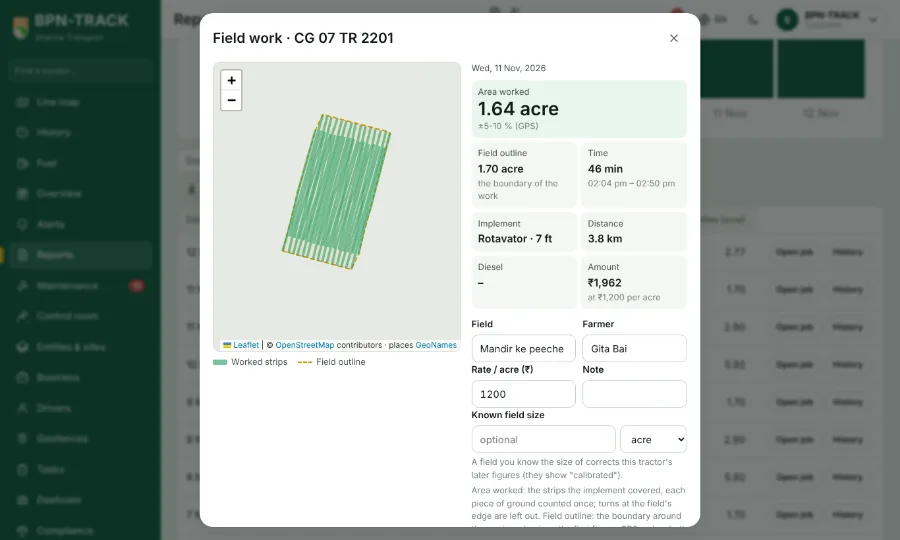
Every field job measured from the GPS: acres worked, the field's outline, time, kilometres, diesel and the amount at your rate -- with a map of the worked strips and a bill to share.
How to
- Once, under Configure > Field work for the tractor, add the implement (Rotavator, Cultivator …) with its width in feet or metres and tick the one in use; set your rate per acre (and per hour if you charge that).
- Open Reports > Field work (Activity), pick the period and the tractor, press Run: one row per field job -- date, field, farmer, implement, area worked and the field's outline in your unit, time, km, diesel, cost per acre, amount.
- Open job shows the map with the worked strips and the dashed outline, the figures with their ±5-10 % GPS note; name the field and the farmer, type the field's known size if the farmer knows it (the app learns a correction for this tractor), add a note, Save. Share on WhatsApp sends the bill in your language.
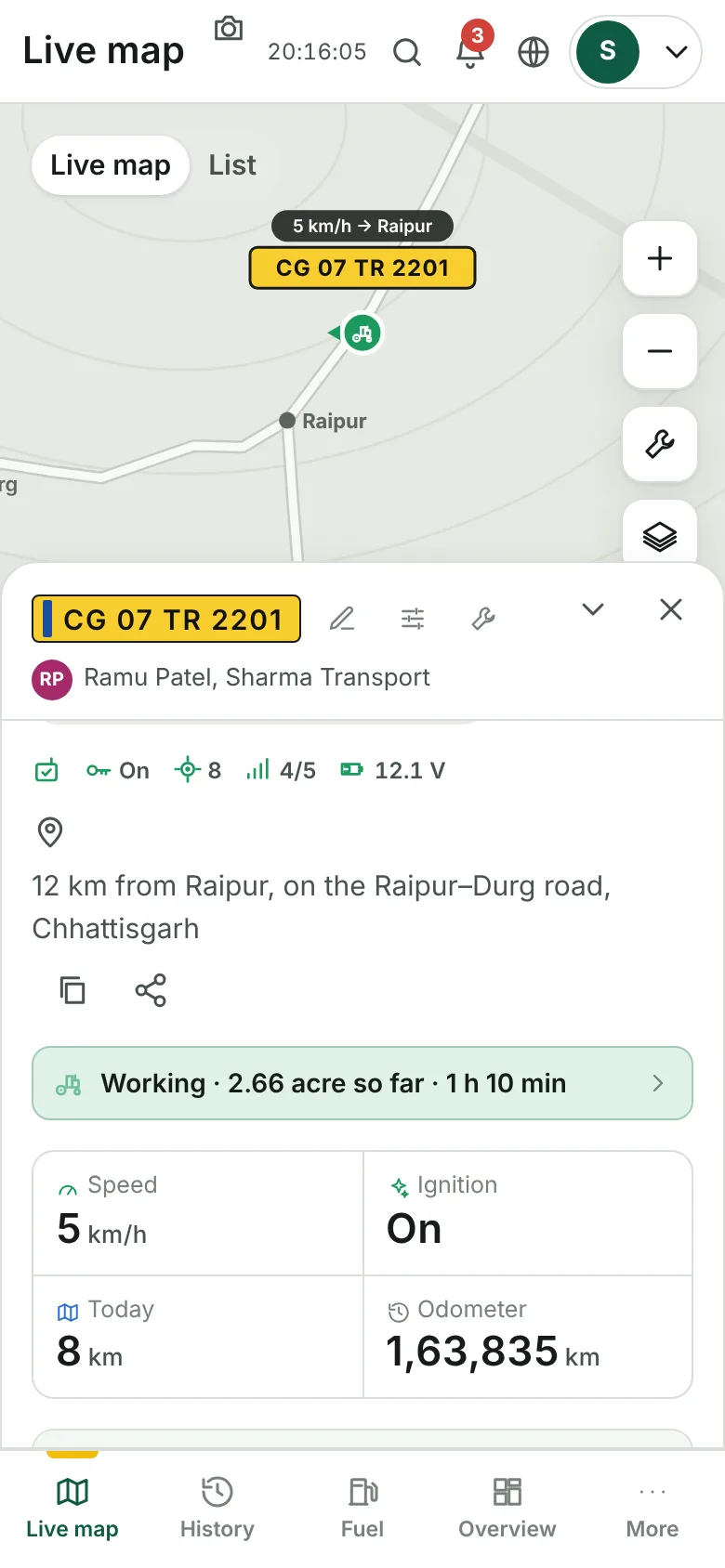
- While the tractor is in a field, the Live map panel says "Working · 2.8 acre so far · 1 h 10 min". Settings > Land area picks acre / decimal / hectare / bigha (with "1 bigha = N acre" for your state).