 BPN-TRACK
Send a command to a vehicle
Stop or resume the engine, ask for its position and more, from the vehicle panel.
How to
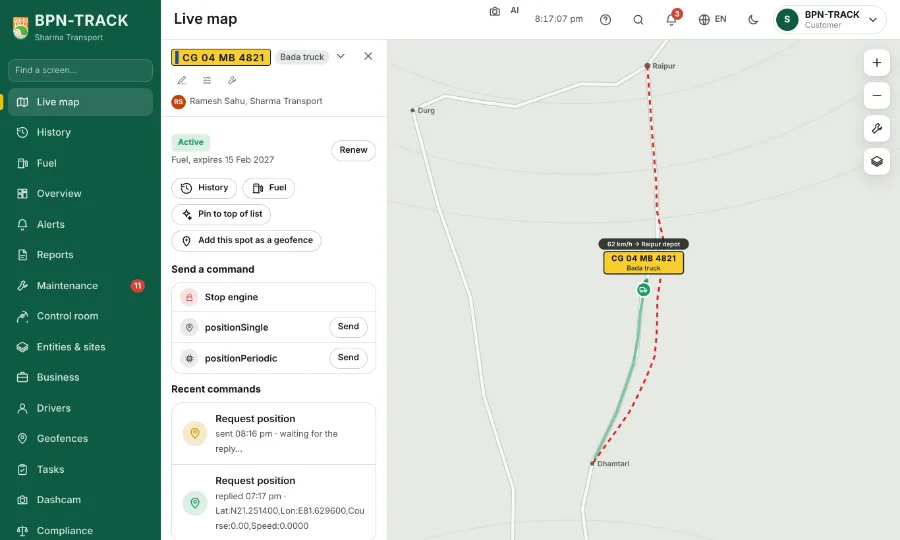
- Open the vehicle on the Live map and scroll to Send a command. Each command is one short row: its icon, its name and Send.
- Stop engine and Resume engine are one button: after a stop it reads Resume engine with the time it was stopped, after a resume it reads Stop engine again.
- An engine stop asks you to type the vehicle number first. Send it only when it is safe for the vehicle to stop.
- Where your login may type commands, a Type a command box sends any text as it is (Enter sends too); it is not added to the library.
- Recent commands below show what was sent, and the device's reply when it comes.
- Which commands you see depends on your login; your dealer can help with the rest.