BPN-TRACK
Troubleshoot a device and read its live data
A health check in plain words, every message the device sent, and the full raw position with a search.
How to
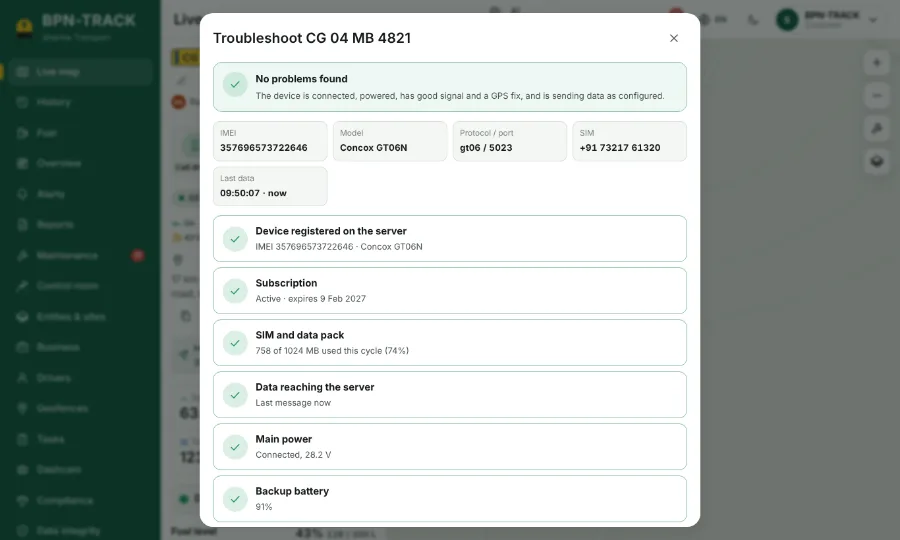
- Open the vehicle and tap the wrench button, Troubleshoot.
- Health check says whether the device is online, has GPS and network, and gets power.
- Live data lists the messages as they arrive. Each row has a Raw position button that opens that moment's every reading.
- Type in the search box on Raw position (for example "fuel" or "battery") to find a reading among many.
- Copy report gives you a text to send to your dealer.