 BPN-TRACK
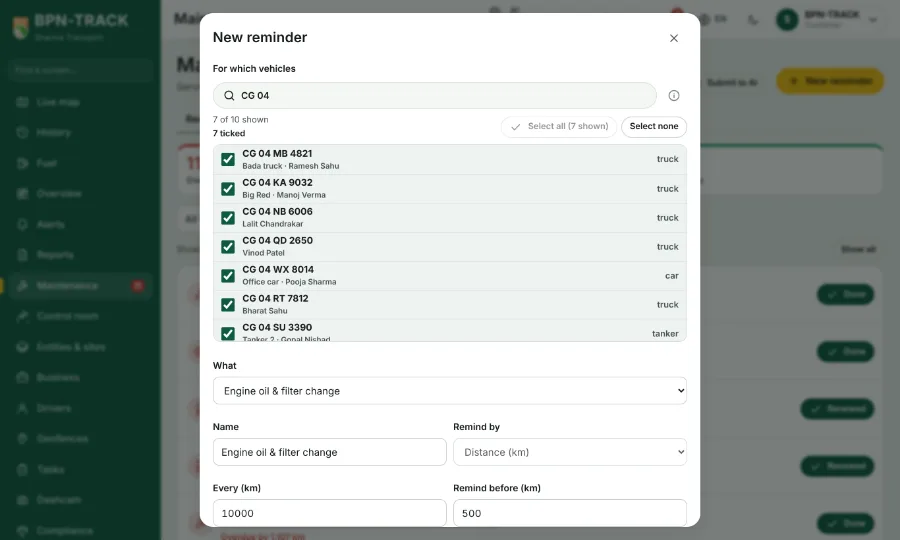
Pick vehicles anywhere: Smart search and Select all
Every place where you choose vehicles has the same search box and the same Select all / Select none.
How to
- Wherever you choose vehicles -- a maintenance reminder, a scheduled report, the vehicles of a geofence or an alert rule, a route, a driver's vehicles, Devices, Commands -- the list has a Smart search box at the top.
- Type a number, a nickname, a driver, a customer, a group, a place, or a word such as offline or fuel<20: the list shows only the vehicles that match.
- Select all ticks every vehicle the search shows (the button says how many); Select none clears the ticks. Vehicles you ticked earlier stay ticked when you change the search.
- The vehicle boxes at the top of History, Fuel, Maintenance and the other screens search the same way, and the Live list finds a vehicle by its group's name too.