 BPN-TRACK
Where is it going, and when will it get there
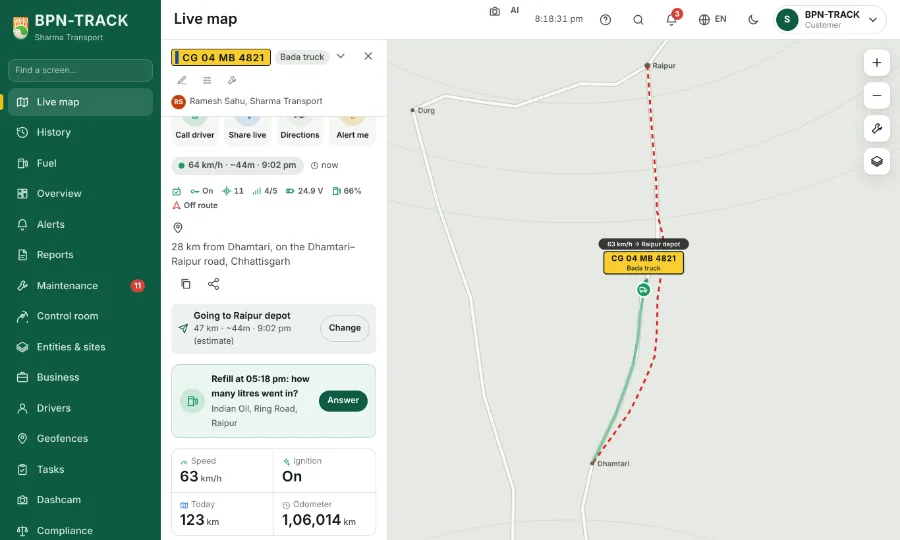
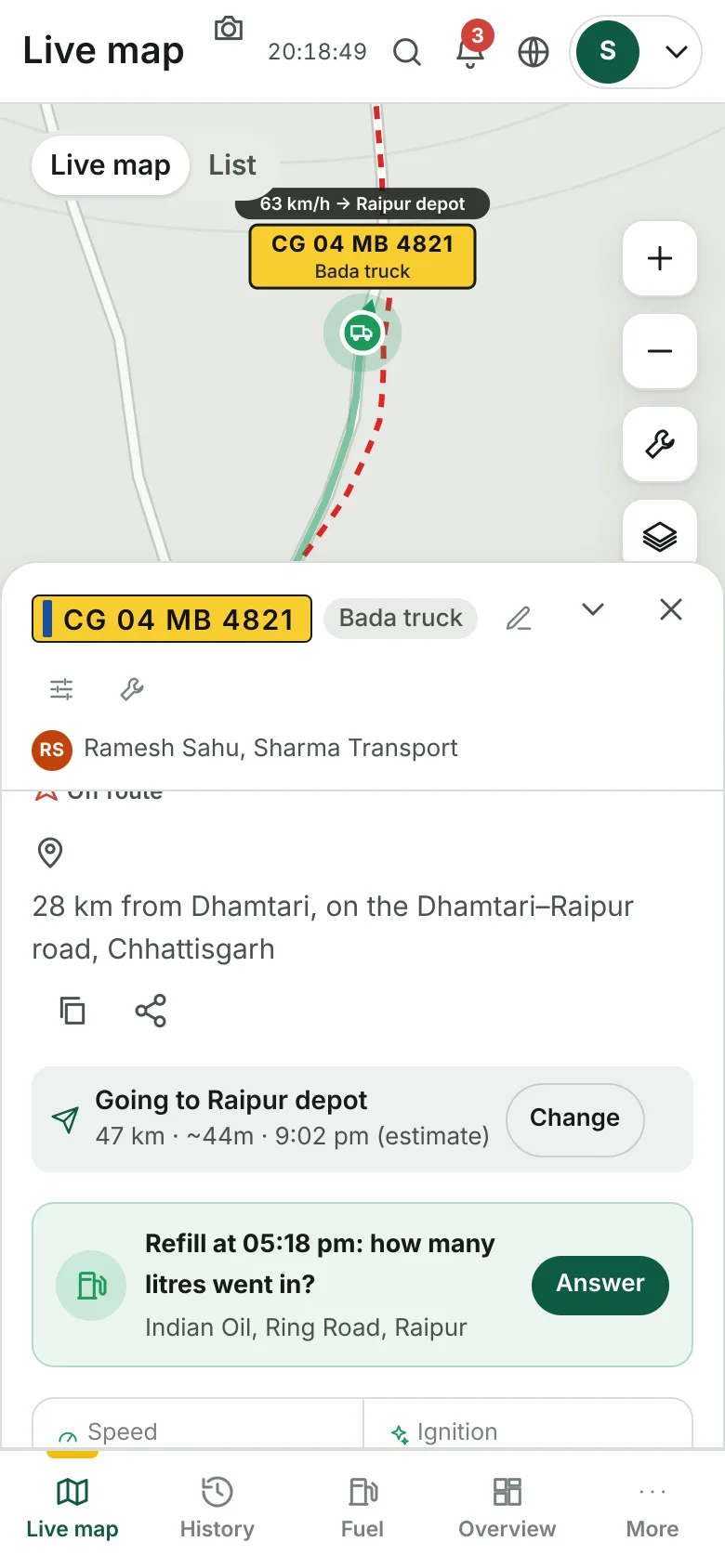
Tell the app a vehicle's destination -- or let it learn the usual one -- and the card says "towards Raipur, ~32 min, 5:40 pm".
How to
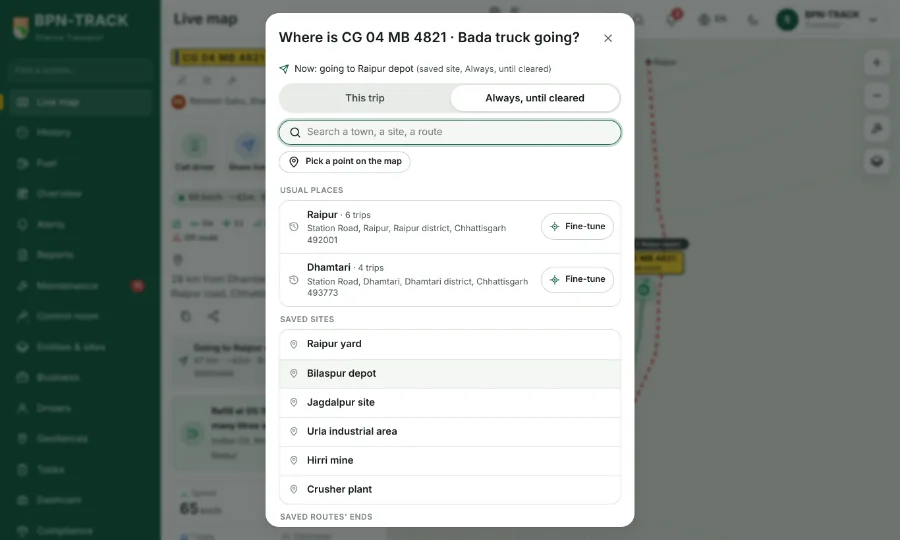
- Open a vehicle's panel and tap Set a destination (or Change).
- Pick from its usual places, your saved sites, a saved route's end, a load's delivery town, a town by name, or a point on the map.
- Each usual place shows its full address. Tap Fine-tune beside it, then tap the exact spot on the map -- a gate or a weighbridge -- and save: the spot is remembered, so the next trip there is timed to that point.
- Choose This trip (cleared on arrival) or Always.
- The Live list, the panel and the vehicle sheet then show the direction, the minutes and the clock time; "Arrived" for ten minutes after it gets there. A live location link you share shows the arrival time too.
- Once the app has learned a vehicle's trips, it suggests the usual destination by itself when the vehicle heads that way.